Skip to product information
1 of 8

Camper Jarvis

Camper Jarvis SmartKnob

Camper Jarvis SmartKnob

One knob for your entire camper.

  • Your whole van on one rotary knob
  • Usable without looking, with tactile detents and voice output
  • Runs locally in the vehicle, no cloud, no app

Regular price €599,00 EUR
Regular price Sale price €599,00 EUR
Sale On request
Taxes included.
Color
Quantity
Request & order now

Our online shop is not open yet, but you can already order. Just send us a short message and we will get back to you quickly.

Free shipping on sets

Single modules 6.99€

Ships in 2 to 3 working days

Straight from the manufacturer

14-day right of withdrawal

Withdrawal details

Support from the manufacturer

In person from Konstanz, Germany

The SmartKnob is the heart of Camper Jarvis. One rotary knob with a round 1.43 inch AMOLED display that controls lights, water, power, heating and climate across your whole van. Every module sends its data to it over an encrypted radio link. Everything runs locally in the vehicle, with no cloud and no app required.

Highlights

  • Haptic rotary knob: a motor creates every detent, tangible like a mechanical switch
  • Voice output announces menu and values, usable without looking, even blind
  • Only the essentials on the knob, setup and statistics in the dashboard
  • Round 1.43 inch AMOLED display behind anti-fingerprint coated glass
  • 66 LEDs in the ring for states, warnings and ambience
  • Radar wakes the display as you approach, the light sensor dims automatically
  • Temperature, humidity, air pressure and tilt right in the living area
  • Scenes and automations, plus guest mode and winter mode
  • Its own Wi-Fi, dashboard in the browser, no app and no cloud, only 0.3W own consumption

What SmartKnob can do

Feel it, don't search for it

A small motor inside the knob creates every detent. You feel each step as you turn, crisp and precise like a high-quality mechanical switch. The built-in speaker also tells you which menu you are in and reads out the key values: turn to the water menu and you hear the fill level. It announces warnings and alarms too. So you can operate the SmartKnob without looking, even blind. At night in a dark van just as well as with your hands full in the kitchen.

Turn to select, press to confirm, double-click to go back, long-press for your scenes. That is all there is to learn.

Only the essentials on the knob

The SmartKnob reduces operation to what you really need in everyday camping life: switching lights, adjusting the heating, keeping an eye on water and battery. The brilliant AMOLED display behind anti-fingerprint coated glass shows exactly that, clear and without distraction. 66 LEDs in the ring show states and warnings at a glance.

Everything else, like setup, statistics and the detailed values of battery, solar and more, lives in the dashboard. That is an overview page you simply open in the browser on your phone, tablet or laptop, no app needed. The SmartKnob creates its own Wi-Fi for it: connect, open jarvis.local, done. If you like, it also joins your van's Wi-Fi. Remote access on the road is in preparation.

It notices when you are there

A radar sensor detects whether someone is in the van. Walk up and the display wakes, leave and it stays dark. A light sensor adapts display and LED ring to the surroundings and also triggers automations. At night in complete darkness and with movement, Lighty can switch on a soft orientation light at 1%, for example.

Climate and position always in view

The SmartKnob measures temperature, humidity and air pressure right in the living area, plus the tilt of your vehicle. The position sensor also knows when you are driving, so sloshing in the tank does not count as usage.

Automations that think ahead

Create scenes and rules in the dashboard: heat the boiler with surplus solar, let the fridge run quieter at night, warm up before the alarm goes off. Guest mode stops anyone from changing your settings. Winter mode lets the modules sleep during long standstills to protect the battery. Extra features are unlocked by licence, even completely offline.

Installed in minutes

Screw the mounting frame to the wall, route the power cable through the wall and plug it in, then the SmartKnob clicks into place without tools. It runs on 12V and 24V and draws only 0.3W in normal operation. The USB-C port charges your phone on the side.

Find faults instead of hunting for them

The SmartKnob has built-in self-diagnostics. They remember technical events such as voltage dips, restarts or tripped fuses on a module, even across a power cut. If something ever goes wrong, your dealer or our support sees the cause straight away instead of searching for it. That saves guesswork, back-and-forth and often a workshop visit. The self-diagnostics know how the device is doing, not what you are doing: they hold no personal data at all.

More in our knowledge base

Step by step, in German: switching on the SmartKnob for the first time, the four gestures and how Camper Jarvis is built. The latest software is on Firmware & updates.

Good to know: The SmartKnob was inspired by the open-source SmartKnob project by Scott Bezek. We have extensively redesigned the hardware, with our own antennas, electronics, additional sensors and our own force detection. The software is entirely our own. The original project is licensed under Apache 2.0 (software, electronics, documentation) and Creative Commons Attribution 4.0 (hardware, mechanical design).

Product Specification

  • Display: 1.43 inch round AMOLED, anti-fingerprint coated glass
  • Operation: turn, press, double-click, long press, haptic detents by motor, voice output of menu and values
  • LED ring: 66 LEDs
  • Sensors: radar (presence), light sensor, temperature, humidity, air pressure, position sensor
  • Sound: speaker for voice announcements, warnings and alarms
  • Connectivity: own Wi-Fi with dashboard (jarvis.local), optionally in the van Wi-Fi, encrypted radio link to the modules, local without cloud
  • Input voltage: 9-36V (12V and 24V)
  • Own consumption: 0.3W in normal operation, max. 2A
  • USB-C: charging port with 15W
  • Dimensions: front plate 84.9x84.9mm, knob Ø50.3mm
  • Mounting: wall mounting with mounting frame, clicks in without tools
  • Updates: automatically online or by file, see Firmware & updates

What's in the box?

  • 1× SmartKnob
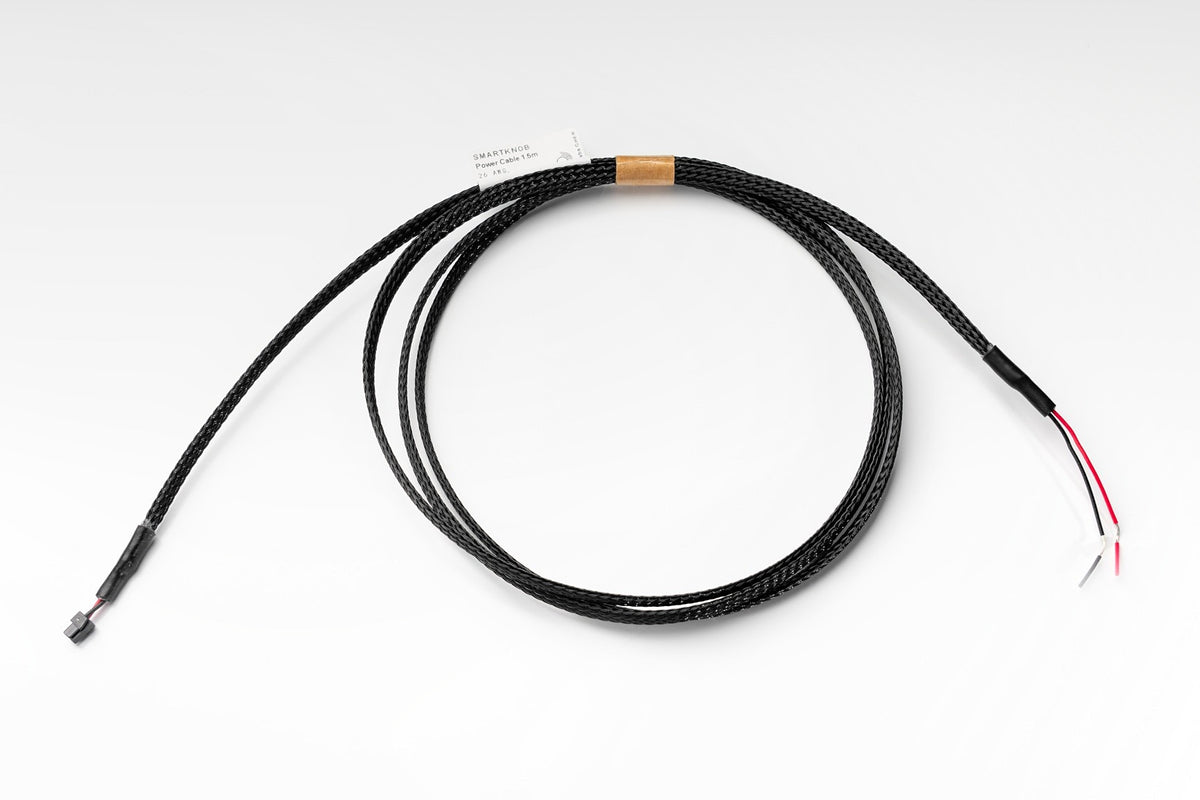
  • 1× power cable 1.5m
  • 1× mounting frame
  • Mounting screws

Firmware & updates New

Current version: 0.9.4 from 2026-10-21

Download firmware (SmartKnob 0.9.4, 2.4MB)

What is new

  • New: send diagnostics to our support with one tap (Settings > System). You get a case number for your message to us. Or download them as a file
  • New: restart a module right from the dashboard (Connections). The SmartKnob tells you when it is back
  • Please update your modules too: updates via the SmartKnob are more reliable, and some new features need current module versions
  • Battery statistics are now kept for years, even after restarts. New: year and total view and a daily record of energy from solar, shore power and driving
  • New: inverter widget: switch your inverter on and off via Volty, with auto-off timer and idle guard
  • New: charge booster widget for the Victron Orion XS with status, on/off, maximum charge current and charge per drive
  • Heater: the start is shown in simple steps. Autoterm: new option "Keep the fan running". Eberspächer: "Gentle heat". Switching off on the knob asks for confirmation
  • Tank: the level is corrected for vehicle tilt, learned automatically, and drives are marked in the history. A drain valve on a wall button opens only after holding 2 s
  • Knob: brightness and night brightness can be set on the knob. The radar no longer wakes the display in the dark, a press on a dark display only wakes it
  • Fixes: times in radar, climate and boiler widgets were up to 2 hours off. Blank clock fixed. MultiPlus battery alarms can be dismissed

No internet in the van? Download the file beforehand and install it in the dashboard under Connections, Modules. How the update works

All versions and changes

View full details

SmartKnob at a glance

Real install A complete system in the technical cabinet: Ampy, Lighty, Fluidy and Volty, all controlled via the SmartKnob.
A complete system in the technical cabinet: Ampy, Lighty, Fluidy and Volty, all controlled via the SmartKnob.

One knob for everything

Control light, water, power, heating and climate with a single dial.

Usable without looking

Tactile detents and voice output. You hear which menu you are in.

Notices when you are there

The radar sensor wakes the display, the light sensor adapts display and lighting.

Dashboard without an app

Open it in the browser on phone, tablet or laptop: jarvis.local, done.

Automations

Heat the boiler with surplus solar, cool quieter at night, warm up before the alarm.

Installed in minutes

Screw on the frame, plug in the cable, click the SmartKnob in without tools.

From real builds

  • SmartKnob an der Fliesenwand über der Spüle, daneben der Berker-Taster für die Wasserpumpe, im Citroën Jumper von Stefan

    Detecting new modules is really fantastically easy.

    StefanSelf-build in a Citroën JumperTranslated from German
  • The Knob is online. Intuitive setup, top! Really nice product! I'm so pleased!!!

    DirkCamper vanTranslated from German
  • It really is fascinating what is possible today. […] Access to the dashboard works flawlessly.

    JürgenMotorhomeTranslated from German

Frequently asked questions about SmartKnob

How do I connect a new module to the SmartKnob?

Pairing practically takes care of itself. You start it on the SmartKnob or in the dashboard and then power up the module. An LED and a sound on the SmartKnob confirm that the connection is up.

That is all there is to it: no cable to the SmartKnob, no configuration, no searching for networks. The only thing that matters is that your SmartKnob is already running, because the modules always connect to it.

With Lighty: right after pairing, its wall push buttons stop responding. Create a light widget for each light in the dashboard and switch on "Push button" in it, then they switch again.

Can I use several modules at the same time?

Yes, up to 20 modules at the same time, in any combination. That is enough for almost any camper conversion, from a compact panel van to a fully equipped motorhome.

If you want to add several modules one after the other, the SmartKnob stays ready to receive for a short while after each successful pairing. You simply power up the next module.

What is the difference between AP and STA mode?

The two modes only decide which Wi-Fi network you use to open your dashboard on your phone or tablet. They have no effect on your modules.

  • AP mode: the SmartKnob opens its own Wi-Fi network and you connect your phone or tablet directly to it. You need no router and no internet, ideal when you are parked off-grid.
  • STA mode: the SmartKnob joins your existing Wi-Fi network, for example your camper router or your phone's hotspot. That is handy if you want internet access at the same time, for instance for online updates.

You can switch between the two at any time.

What happens if my Wi-Fi drops out?

You are still never locked out. If the SmartKnob loses the connection to your Wi-Fi network, because the router is off, you have moved to another pitch or you are simply out of range, it automatically opens its own Wi-Fi network again. You can then reach the dashboard directly through it straight away.

As soon as your usual network is back, it reconnects to it by itself. You do not have to do a thing.

What happens if the SmartKnob fails?

Ampy and Lighty keep their settings and carry on working. You simply keep switching and dimming lights and appliances at the wall switch, fuses and voltage protection stay active, and the outputs stay as they are.

The display, dashboard, scenes, automations, the double tap for all lights and the wireless push buttons pause.

This is a fallback, not a permanent state: without the SmartKnob you cannot change settings such as fuse values, and dimming only works with push buttons, not with switches.

The one exception: an Ampy output set up as a heating element switches itself off after 10 minutes for safety, so that no boiler keeps heating unattended.

We are also working on a backup function where a module takes over the dashboard, so that the whole system can still be operated from your phone and tablet.

What do I need to watch out for when mounting the SmartKnob?

The wall surface under the mounting plate must be flat: no more than 0.5mm of unevenness across the whole area of the mounting plate. If the wall is bent, curved or warped, the SmartKnob will not click in cleanly. Check the surface with a straight edge before screwing the plate on. Double-sided tape on the back of the mounting plate gives extra hold.

More questions? All answers in the knowledge centre or write to us.